Hello everyone.
I am really sorry because this is my last post on this blog. We have come to the end of the term, and I want to write my feelings and opinions about this course and my blogging experience.
What I like most about this course is its creativity. That was the most creative task of my education life; creating a blog. Although, I do not like a thing about this course. It is that we have to post about only the specific things. I wish we had a chance to post whatever we want.
In my opinion, this course is very effective for our future career. We have learned how to use and when to use technology in classrooms.
What is my favorite assignment? Well, I think it is the creating a digital storytelling. We recorded our voices for the animal characters that we have created, which was really fun.
I want to give a message to the students who will take this course next year. You should try to enjoy this blogging experience because what you will learn in this course is very beneficial for your future teaching experience.
27 Mayıs 2018 Pazar

RSS Feed
What is RSS?
RSS (Rich Site Summary) is a technology that allows people to follow updates of web-based contents.
How it works?

RSS (Rich Site Summary) is a technology that allows people to follow updates of web-based contents.
How it works?
- First, download an RSS reader.
- Then, go to some websites and look for an RSS link.
- Copy the URL.
- Paste the URL into the RSS reader.
Benefits of using RSS
RSS reader is a good option for the people who use the web frequently. It informs users about the new content. You do not need to visit every site, and you save time.

I am using Feedly RSS reader which is free and easy to use.
My favorite is Daily Writing Tips. It is a blog which informs its users about writing. I think it is necessary for teachers to follow this blog because students should improve their writing skills.
22 Mayıs 2018 Salı
Busuu Review
Busuu is one of the most well-known language learning apps. Busuu offers its users an application for smartphones and also web-based courses. Learners can use the free version or the premium version. Premium version is very limited. If you can afford the premium version, it is very useful for learning. It offers you games, exercises, groups etc.

Busuu has English, French, German, Italian, Spanish, Chinese, Turkish, Russian, Japanese, Portuguese, Turkish, Polish learning options. It teaches beginner to intermediate stages.
In vocabulary learning exercises, busuu shows you a word with a picture or a context. You can also listen to that word's pronunciation. It makes memorizing words easier.
When you finish an exercise you earn coins. You can use that coins for having a discount or for premium membership.
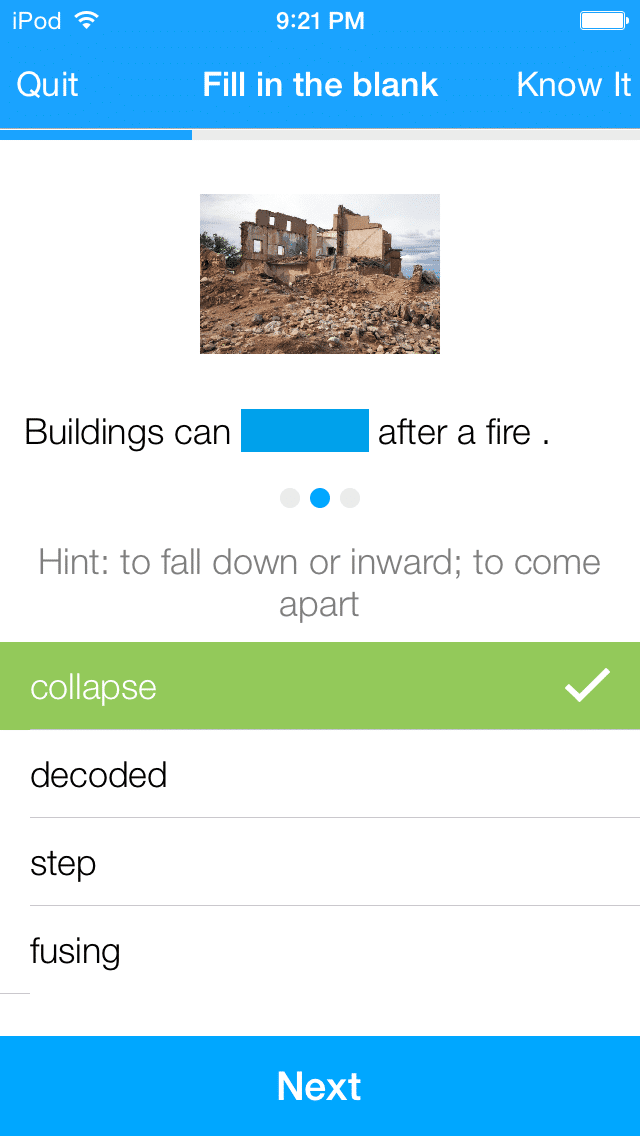
Busuu also gives you many amazing possibilities like having a conversation with native speakers of that language. I think it is a very good opportunity because it is not very easy to find the people who speak the target language.
When you finish an exercise you can also get feedback from the native speakers which is very useful for language learning.
Busuu has English, French, German, Italian, Spanish, Chinese, Turkish, Russian, Japanese, Portuguese, Turkish, Polish learning options. It teaches beginner to intermediate stages.
In vocabulary learning exercises, busuu shows you a word with a picture or a context. You can also listen to that word's pronunciation. It makes memorizing words easier.
When you finish an exercise you earn coins. You can use that coins for having a discount or for premium membership.
Busuu also gives you many amazing possibilities like having a conversation with native speakers of that language. I think it is a very good opportunity because it is not very easy to find the people who speak the target language.
When you finish an exercise you can also get feedback from the native speakers which is very useful for language learning.
20 Mayıs 2018 Pazar
Buncee Review

Last week, me and my friend İbrahim, presented an online educational tool. It is Buncee. In this post, I am going to talk about it.
What is Buncee?
Buncee is an online education tool for students and teachers in which you can create and share your presentations. It is very simple and easy to use for children, but it is not very professional.
How can I create a Buncee account?
Creating a Buncee account is very easy. First, you have to write your name, date of birth, email. Then, you have to select a password. Tadaa you are ready!
How to create a presentation?

This is the first page. You can add a background or choose an item from multimedia options.

This is your multimedia panel. You can add text, video, web media, or personal files onto the canvas.

This is your slide panel. You can add and rearrange slides.
You can share your presentations through email or social media posts.
A video about it
Teachers
As we know, in traditional education, the only way to connect with students is classroom environment, but thanks to the online educational tools like Buncee, teaching, and learning is not limited to classroom anymore. Buncee is a very effective educational tool for teachers. It is just like an online classroom. Teachers can create a class and add their students. They can create worksheets and share them with their students.
Here is an example
Students
Sometimes learning can be really boring. Buncee makes it easier. Students can create their presentations to share with their teachers and classmates. Buncee is useful for learners of all ages. It encourages them to create, share and participate in learning.
The benefits of using Buncee
- Digital classroom projects
- Engaging lesson plans
- You can also download Buncee mobile app
- Teachers can track their students' learning progress.
- Teachers can create worksheets.
- Students can create homework.
8 Mayıs 2018 Salı
Digital Storytelling
Hello everyone, this week we have created a digital story. It was really fun and creative. I want to talk about our experience. First, let’s talk about what a digital storytelling is.
What is a digital story?
A digital story is a short story which involves recorded narrative with images. Digital stories often contain pictures, videos, audio recordings, and music. They can vary in length, but educational storytellings are usually last between 1 to 10 minutes. Digital storytelling is one of the most creative ways to learn/ teach English. Everyone likes listening, reading stories. Thanks to the technology, students can improve their creativity, have fun and learn English at the same time. It is a method of teaching that all teachers should know and use.

Why should we use it?
It is a fun way to teach English to the children. Teachers can create some digital stories which are very helpful for their language learning. It is interesting and motivating for students. I think this is one of the most creative ways to learn English. New ideas, new concepts can be taught very easily with digital storytelling.
Some pictures of our story:


Our digital story creating experience
Me and my friend İbrahim have created a digital story about a little adventure in a forest. There are four animals and a man in our story. We created the story in powerpoint. First, we create a story. Our story is about four animals who are helping an injured man. Second, we added some pictures and our voices. It was fun to do it and I enjoy it very much. It was also easy to do. I think it might improve children's creativity. Because of this, digital stories are useful tools for education, especially for young learners. I am planning to use it in my future classes.
23 Nisan 2018 Pazartesi
Lingualeo Evaluation

Lingualeo is an online language platform that helps learners to learn English. The company was founded in 2009. Aynur Abdulnasyrov is the founder of the website. The audience is users from Soviet Union countries, Brazil, Portuguese and Turkey. It is available on the web and mobile platforms.
The website has many different features which are useful for your English learning. It combines English videos, grammar exercises, courses, flashcards and more. When you sign up, you get some tasks which help you to learn English. Users can try free version or become a premium member. Premium membership unlocks some grammar courses and exercises.If you became a free member the courses are limited.

There are many courses on any topic. The website reminds you the tasks that you have to look at. It also has a collection of youtube videos, books, ted videos, songs, texts etc. One of the most useful things about the website is you can click and see the meaning of a word and you can have your own personal dictionary. It makes memorizing easier.

There are many benefits of using Lingualeo. Most importantly, you can practice grammar and improve your word knowledge. Learners can have courses, exercises, read books etc. It also has some tests for new users. When you succeed you win meatballs and experience points. These help you to track your progress. You win experience points for watching videos, memorizing new words or reading something. Some exercises are unlock when you reach a certain level.

In addition, you can see your progress and other information.
I think the website and app might be a very useful tool for English language learning and teaching. It has many opportunities for teachers and students.They can easily practice grammar or words and track their language learning progress easily.
19 Mart 2018 Pazartesi
Using Wikis
What is a wiki?
A wiki is a website developed by a group of users. It allows anyone to edit and add a content. It has a collaborative use and it can be an effective tool for learning and sharing information. A wiki is an open- editing system.
Why should we use it?
How should teachers use it?
I have created a wiki page in order to introduce the book ''Poor Folk'' written by Dostoyevsky. I have written a summary and information about the novel. It is a book that I really loved and enjoyed. That's why I have chosen this book. I hope you like my book review.
Here is the Link

A wiki is a website developed by a group of users. It allows anyone to edit and add a content. It has a collaborative use and it can be an effective tool for learning and sharing information. A wiki is an open- editing system.
Why should we use it?
- Using wikis in education support collaborative learning.
- Students can become more active in learning.
- It improves students' writing skills.
- Students can share their knowledge with each other outside of the classroom.
How should teachers use it?
- Teachers should teach students how to use wikis.
- Teachers should encourage students' interaction with each other.
- Teachers should observe their students' activities.
- Teachers should clearly define students' roles in this activity.
- Teachers should tell students to comment each other's entries.
I have created a wiki page in order to introduce the book ''Poor Folk'' written by Dostoyevsky. I have written a summary and information about the novel. It is a book that I really loved and enjoyed. That's why I have chosen this book. I hope you like my book review.
Here is the Link

Kaydol:
Kayıtlar (Atom)
-
 Computer Assisted Language Learning (CALL) is defined as an approach to language teaching in which the computer is used as an...
 -
What is a podcast? iPod + Broadcast = Podcast A podcast is a digital audio file that available as series on the Internet. You can subscr...
-
 © U.S. Army Corps of Engineers photo by John Kolodziejski Hello everyone, welcome to my blog :) Firstly, I want to thank you all for vis...